
ProductSolutionsVoiceComparePricing
Sign inGet started →

Agentic AI platform by BPract Software Solutions LLP, Kozhikode. Deploy intelligent agents that talk, act, and integrate.

LinkedInTwitterInstagramFacebook
info@bpract.com
+91 8590137119

Product

Chat & AI ModeVoiceCapabilitiesPricing

Solutions

IndustriesUse casesTech stackCompare

Company

AboutContactResourcesBlog

Legal

PrivacyTerms
© 2026 BPract Software Solutions LLP. All rights reserved.
PrivacyTerms
Feature

Visual Admin Panel

Configure everything without writing a single line of code

The kaag.ai admin panel is a full-featured React application that gives you visual control over every aspect of your AI agents. Manage tenants, edit knowledge bases, configure actions, customize widget styling with live preview, set up system instructions, manage team members with role-based access, and monitor conversations. The admin panel includes a visual theme editor, drag-and-drop document management, and real-time configuration updates.

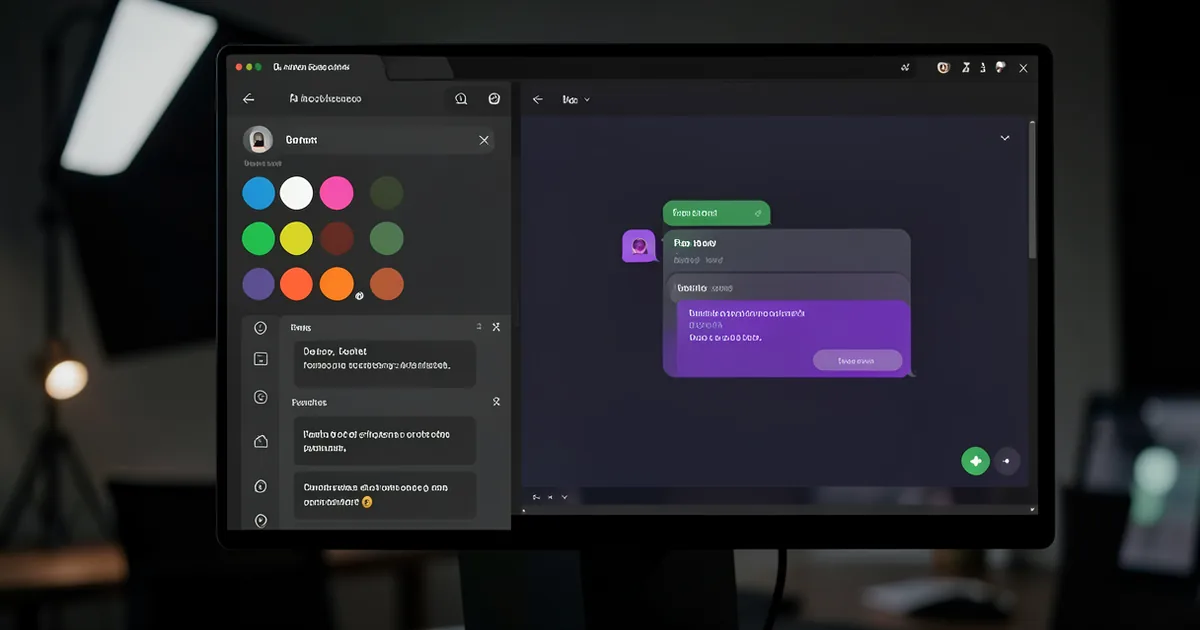
The admin panel theme editor screen with color pickers, font selectors, and a live preview of the AI agents reflecting changes in real time.

Key benefits

Why Visual Admin Panel earns its place

1

Visual theme editor with live preview lets you customize colors, fonts, and widget appearance in real time

2

Knowledge base management with document upload, website crawl scheduling, and content editing

3

Action configuration with form builders for each action type and webhook testing tools

4

Role-based access control with four roles: Super Admin, Admin, Manager, and Viewer

5

System instruction editor with prompt templates and variable injection for dynamic AI behavior

6

Real-time configuration updates take effect immediately without redeploying the widget

Everything in One Place

The admin panel is organized into logical sections: Tenants for managing your AI agents, Knowledge Base for documents and website crawling, Actions for configuring agentic workflows, Styling for visual customization, Instructions for AI behavior, Team for user management, and Analytics for monitoring. Each section provides a clean, intuitive interface that requires no technical knowledge. New agents can be configured and deployed in under ten minutes.

Role-Based Access Control

kaag.ai implements four admin roles with granular permissions. Super Admin has full access to all tenants and platform settings. Admin can manage specific tenants and their configurations. Manager can view analytics and manage leads but cannot modify agent settings. Viewer has read-only access to analytics and conversation history. This RBAC system lets agencies give clients access to their own data without exposing the full admin panel.

Live Preview and Instant Updates

The visual theme editor includes a live preview that shows exactly how your AI agents will look as you change colors, fonts, and layout options. When you save changes, they propagate to the live widget immediately — no rebuild or redeployment needed. The widget fetches its configuration from the API on every load, so visitors always see the latest version of your AI agent.

FAQ

Frequently Asked Questions

Common questions about Visual Admin Panel.

Do I need technical skills to use the admin panel?
No. The admin panel is designed for non-technical users. All configuration is done through visual forms, dropdowns, and toggle switches. The theme editor uses color pickers and live preview so you can see changes before saving.
Can I give my client access to their own admin panel?
Yes. Create a user account with the Viewer or Manager role and assign them to the specific tenant. They will only see data for their own AI agent and cannot access other tenants or platform-wide settings.
How quickly do configuration changes go live?
Changes take effect immediately. When you update the widget styling, system instructions, or action configuration, the live widget picks up the changes on its next configuration fetch. There is no build or deploy step required.
Works with

Visual Admin Panel is one part of the agent

It composes with the rest of the platform. Chain these to go from answer to action.

Multi-Tenant Architecture

Run multiple AI agents from a single platform

Explore →

Analytics & Lead Tracking

Understand your visitors and capture every lead

Explore →

Customizable Chat Widget

A production-ready chat widget that fits any website

Explore →
Get started

See Visual Admin Panel on your own site

Start free for 14 days with the full stack unlocked, no credit card required.

Get started →See pricing